
HostedPBX Phone System
Microsoft Teams Direct Routing
Plans for Microsoft Teams Phone System
Talk to one of our Team Experts
Call 1300 MTEAMS (683 267)
Inclusions & Benefits
- Free Number Porting CAT A & C
- No Setup Fees or Contracts
- 100% Pre-Paid
- Australian Call Center
- Australian Network
- 1 Free Geographic Phone Number Per Teams User.
- Australian Local, National & Mobile Calls Included


Crazytel Microsoft Teams Direct Routing Made Simple
- Add calling functionality to your Microsoft Teams users
- Keep your existing phone numbers
- Add new Numbers including Virtual Mobile Numbers & 13/1800 Numbers
- Make and receive phone calls using Microsoft Teams
Teams Calling Number Porting
Number porting is free for all new Team Connect Accounts, Porting is available so you can bring your PSTN, ISDN, Mobile or VoIP Numbers to Direct Routing for Teams.
Phone number portability allows you to move existing phone numbers to the new system, or you can choose to allocate new ones. Bring as many numbers as you need or we can allocate new numbers for you.

Upgrade Microsoft Teams direct routing with advanced PBX Features
Chat, Hunt Groups, Call Queues and all the extras like Chat, Video and Voice calls are standard.
CrazyTeams Plan Details
Call Rates
- Local Australian Calls - Included
- National Calls - Included
- Calls to Australian Mobiles - Included
- Calls to 1300 Numbers $0.25 per call
Other Rates
- Phone Number Pricing can be found Phone Number Pricing
- International Pricing can be found International Pricing
Total min. Cost over 1 month $12.95 per one teams’ user Critical Information Summary
* A Microsoft Enterprise E1, E3 or E5 license is required, with the additional phone system add-on license, for PSTN services to become available. (Microsoft Teams licenses are purchased separately from within your Microsoft Teams tenancy, or from your Microsoft licensing provider)
** A phone number is required for each Microsoft Teams user and must be purchased separately. 1 Geographic phone numbers per Teams user is free with this plan.
*** CrazyTeams Plan is 100% Pre-Paid and requires auto top up by debit/credit card.
How to Signup to a CrazyTeams Plan?

First, if you don’t currently have a business account with Crazytel, Create one Here

Once, you have created a Business Account you will need your account number which can be found on the dashboard.

Once you have your Business Account Number, fill out the Simple Application form by clicking on the Signup Now Button on this webpage and we will be intouch within 2 business days to discuss your setup.
Crazytel will help with your Teams Calling Deployment
We then take care of everything else including setting up your Teams Calling Plan and Manage your number porting. We will get you set up and trained on how to self-manage and work with your Microsoft partner to deliver an outstanding Teams Calling Solution.
We know that every business is different, so we work with you to understand how your business works, to develop your customised Teams Calling solution.

Crazytel Custom Enterprise Solutions
(Optional)If you run a large organisation and need enterprise PBX functions such as Dashboards, statistics & Call Recordings with Self Service Portal Access, Crazytel offers additional custom enterprise Solutions.
Allow your users the option to use physical desk phones or the Teams application with a headset.
Microsoft Teams Direct Routing
Frequently asked questions
Direct Routing allows customers to choose their telecom provider like Crazytel to route phone calls in and out of Teams application. Basically, it allows you to use Teams to make and receive calls.
All the Hosted PBX features like call transfer, custom caller ID, fax to email, CallerID routing, voice menu, user performance reports, call queues, and many more are available when you using Microsoft Teams direct routing with Crazytel.
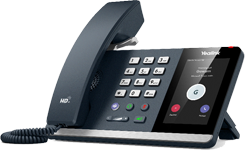
We offer a range of MS Teams certified handsets from Yealink. You can browse for a list of available handsets by going to Online Shop section of our web site. Teams desk phones use proprietary Microsoft voice encoding and hence other VoIP phones will not work with Teams.
To use Microsoft Teams direct routing, you need Microsoft 365 subscription with Microsoft Enterprise E1, E3 or E5 license with a ‘phone system’ addon. Also, a phone number is required to make or receive phone calls. Moreover, you can purchase Teams compatible handsets to receive or make phone calls without using software on your PC if you like.